客户管理、公海客户
这篇解决什么
客户存在哪、负责人和公海怎么切,自动掉入看哪张配置、哪个 Job。读完能对上 crm_customer.ownerUserId、put-pool / receive / distribute,以及 customerAutoPutPoolJob。
默认端口 48080,管理端前缀 /admin-api。PC 开发页 http://127.0.0.1:5800。先开模块见 CRM 功能设计。
示意图:公海不是第二张客户表。负责人置空就是公海,领取再写回 ownerUserId。
从哪改
| 名称 | 说明 | 仓库路径 |
|---|---|---|
| 客户接口 | @RequestMapping("/crm/customer") | ruoyi-office/yudao-module-crm/.../controller/admin/customer/CrmCustomerController.java |
| 客户表 | crm_customer | CrmCustomerDO |
| 放入公海 | PUT /put-pool | 同上 |
| 领取 / 分配 | PUT /receive、/distribute | 同上 |
| 转移 / 锁定 | PUT /transfer、/lock | 同上 |
| 公海配置 | /crm/customer-pool-config | CrmCustomerPoolConfigController |
| 数量上限 | /crm/customer-limit-config | CrmCustomerLimitConfigController |
| 自动掉入 | customerAutoPutPoolJob | CrmCustomerAutoPutPoolJob |
| PC | /crm/customer、/crm/customer/pool | ruoyi-office-vben/apps/web-antd/src/views/crm/customer/ |
官方菜单:2391 客户管理,2546 客户公海,2516 公海配置,2518 限制配置。按钮 crm:customer:create / receive / distribute。
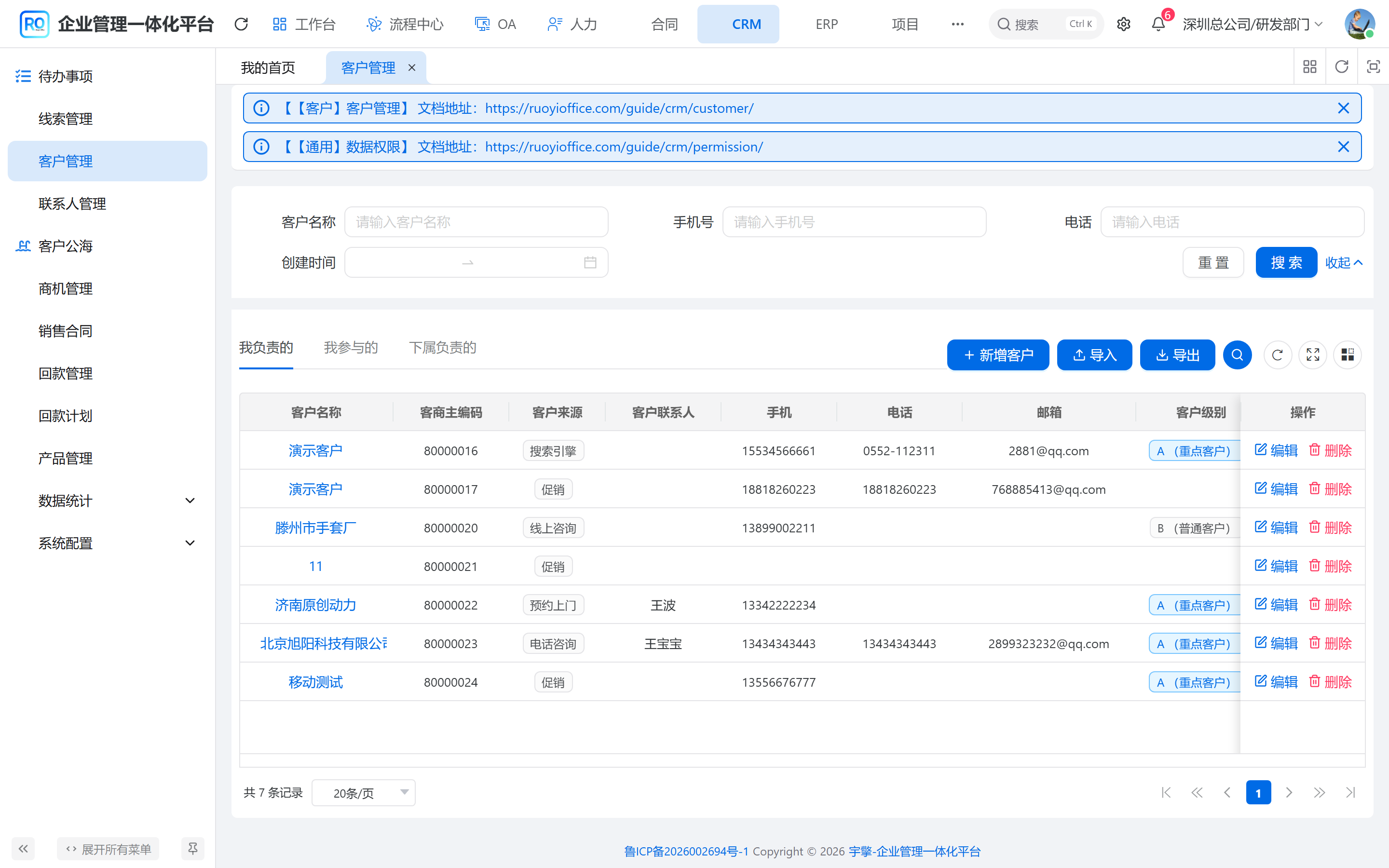
本系统截图:CRM → 客户管理。负责人、锁定、成交状态在这一张主表。
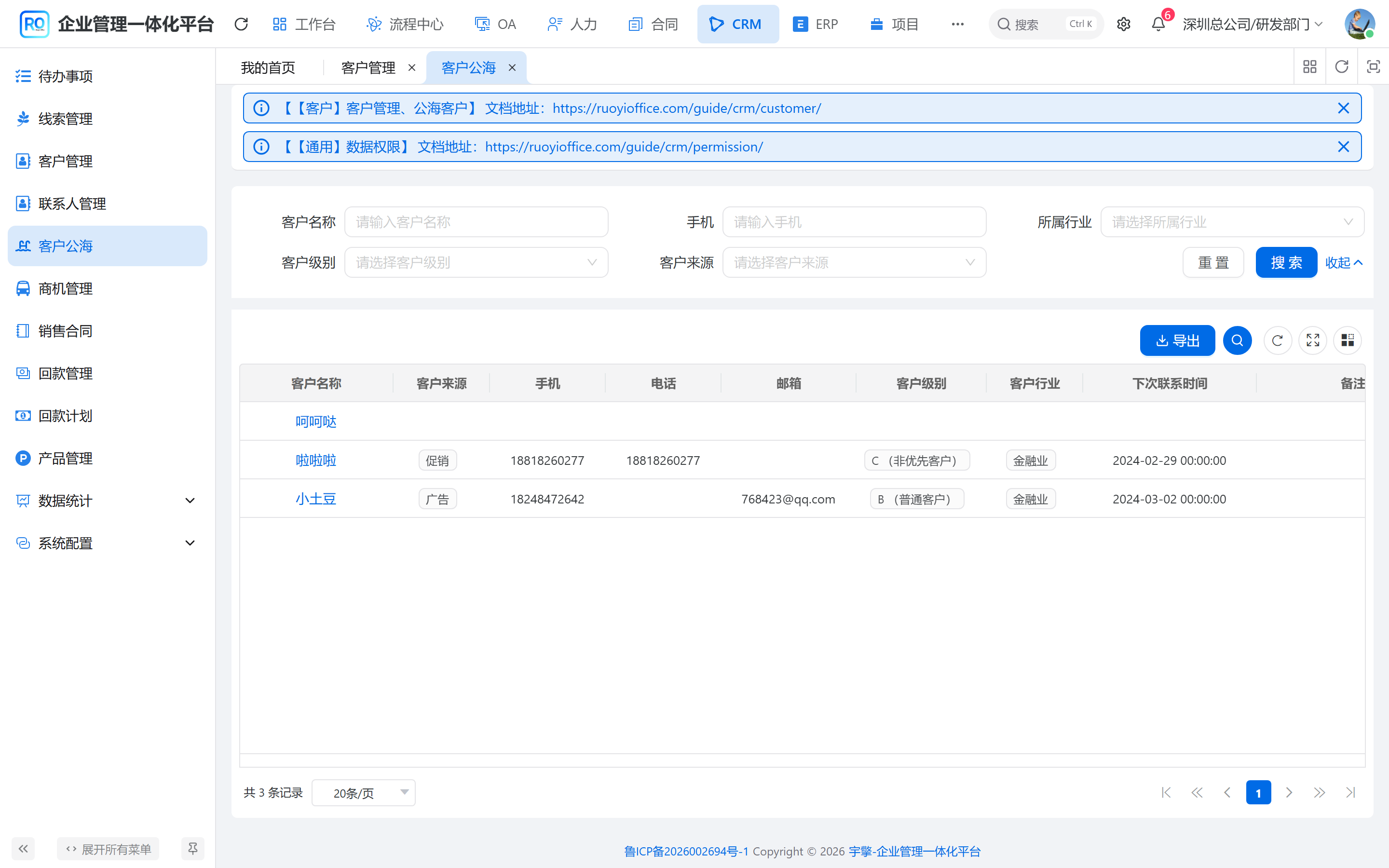
本系统截图:CRM → 客户公海。这里列出负责人已清空的客户,领取或分配后回到客户列表。
公海怎么判定
ownerUserId 为空就是公海客户,没有 crm_customer_pool 行表。
| 名称 | 说明 | 仓库路径 |
|---|---|---|
ownerUserId / ownerTime | 负责人和上任时间 | crm_customer |
lockStatus | 锁定后不能掉公海 | 同上 |
dealStatus | 成交后领取会校验 | 同上 |
contactExpireDays | 未跟进多少天掉入 | crm_customer_pool_config |
dealExpireDays | 未成交多少天掉入 | 同上 |
| 领取上限 | 超了不能再领 | crm_customer_limit_config |
CREATE TABLE crm_customer (
  id bigint NOT NULL AUTO_INCREMENT,
  name varchar(255) DEFAULT NULL,
  owner_user_id bigint DEFAULT NULL,
  lock_status bit(1) DEFAULT NULL,
  deal_status bit(1) DEFAULT NULL,
  PRIMARY KEY (id)
);
放入公海会把负责人改成空,顺带清联系人负责人,并删这条客户的负责人权限。领取 / 分配再写负责人,并补 crm_permission 的 OWNER 行。
示意图:手动和 Job 都走同一套置空负责人。锁定的不要指望 Job 掉进去。
公海配置关掉,Job 也不会掉
autoPutCustomerPool 先看 enabled。只配天数、不启用,或者 XXL-Job 没挂 customerAutoPutPoolJob,客户会一直挂在原负责人名下。
配置与操作
先在 CRM → 公海配置(2516)改 enabled、contactExpireDays、dealExpireDays,在 限制配置(2518)设领取上限。保存后立刻约束领取;自动掉海还要 XXL-Job 挂上 customerAutoPutPoolJob,且配置 enabled 打开。
在 客户管理(2391)建客户,填名称、负责人。放入公海 PUT /put-pool 清空 ownerUserId,锁定 lockStatus 后 Job 不会掉。公海列表 2546 领取 / 分配写回负责人并补 crm_permission OWNER。成交 dealStatus 后领取会校验。
截图见上文。